Use the assistant
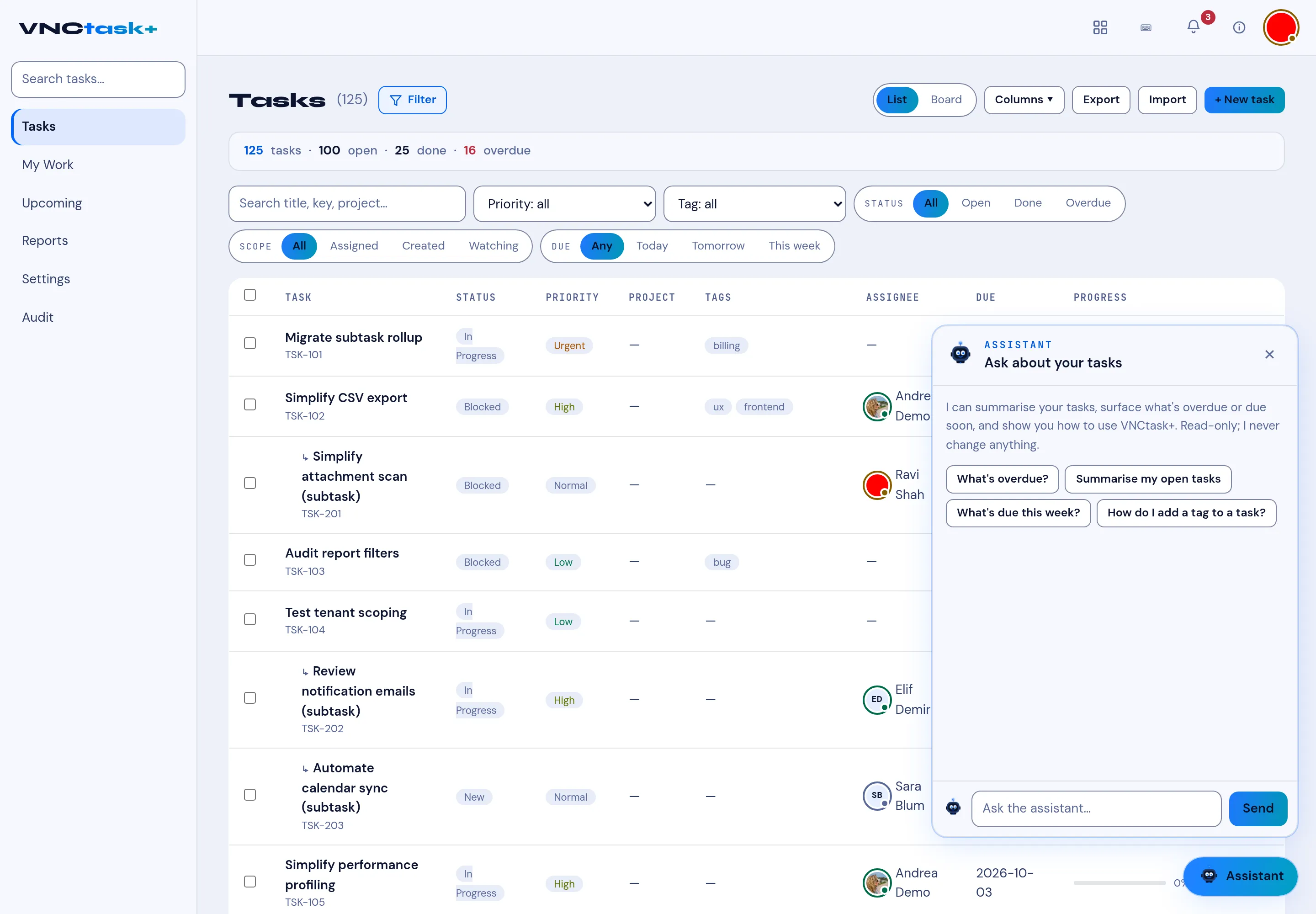
Every VNClagoon+ product has an Assistant button in the bottom-right corner. It answers questions about the app you are in, grounded in that product’s documentation — so you do not have to leave what you are doing.
Open it
Section titled “Open it”- Select Assistant (bottom-right).
- Type a question and select Send, or pick one of the suggested prompts.
- Press Esc to close the panel.
What it can do
Section titled “What it can do”- Summarise what is on screen — for example Summarise my open tasks.
- Answer questions — What’s overdue?, What’s due this week?.
- Explain how to do something — How do I add a tag to a task?.
The assistant is read-only: it never changes your data. It respects your permissions, so it only sees what you can.