Create a signature
A signature is appended automatically when you compose or reply.
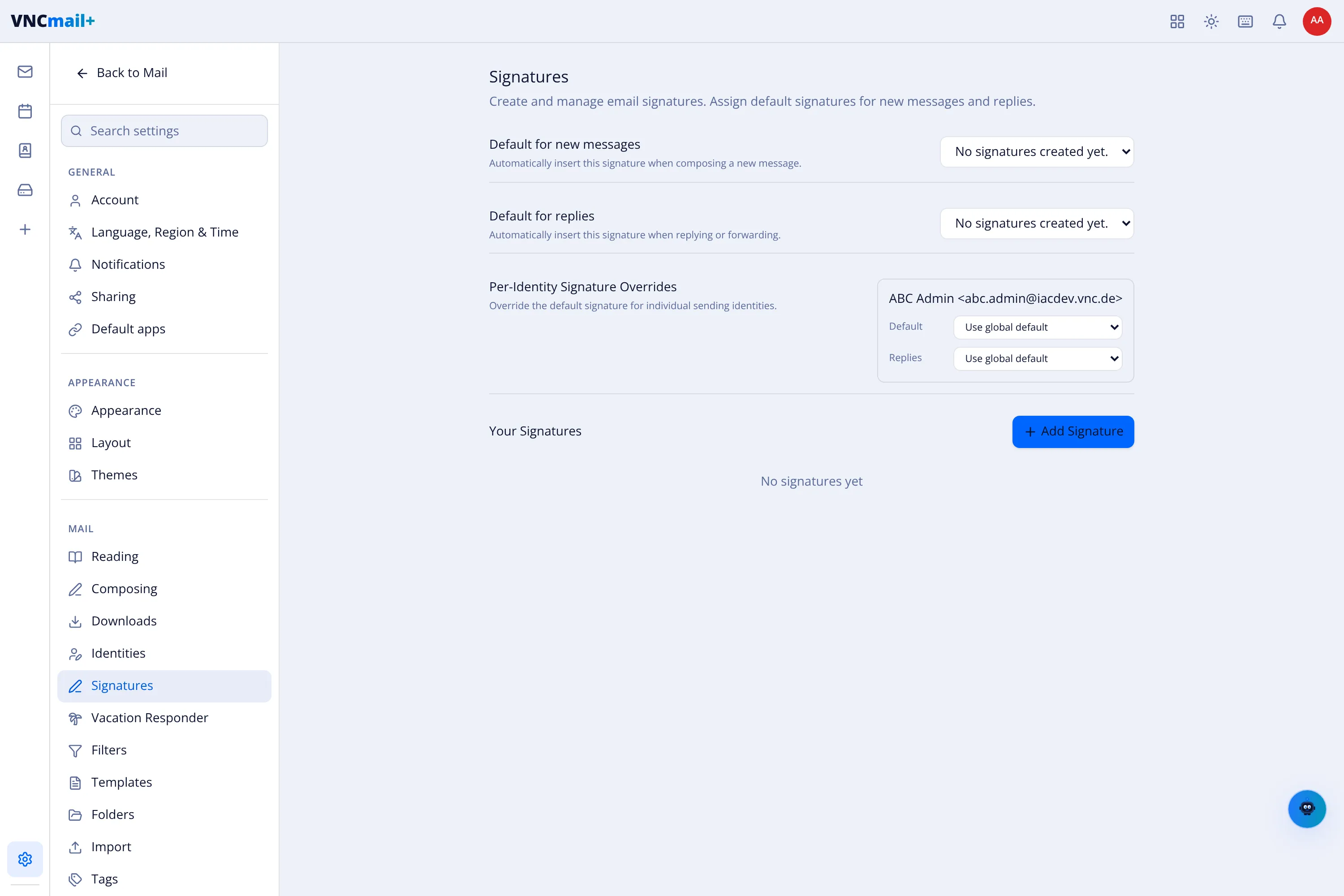
- Open Settings → Signatures.
- Select + Add Signature under Your Signatures and give it a name and content.
- Set Default for new messages — the signature inserted when composing.
- Set Default for replies — the signature inserted when replying or forwarding.
- For each sending identity, use Per-Identity Signature Overrides to pick a different signature (or Use global default).
Placement
Section titled “Placement”How and where the signature appears is set in Composing settings:
- Signature Position — above or below the quoted text in replies.
- Signature Delimiter — whether the standard
--line is inserted.
Result
Section titled “Result”New messages and replies carry the assigned signature; identities can differ.