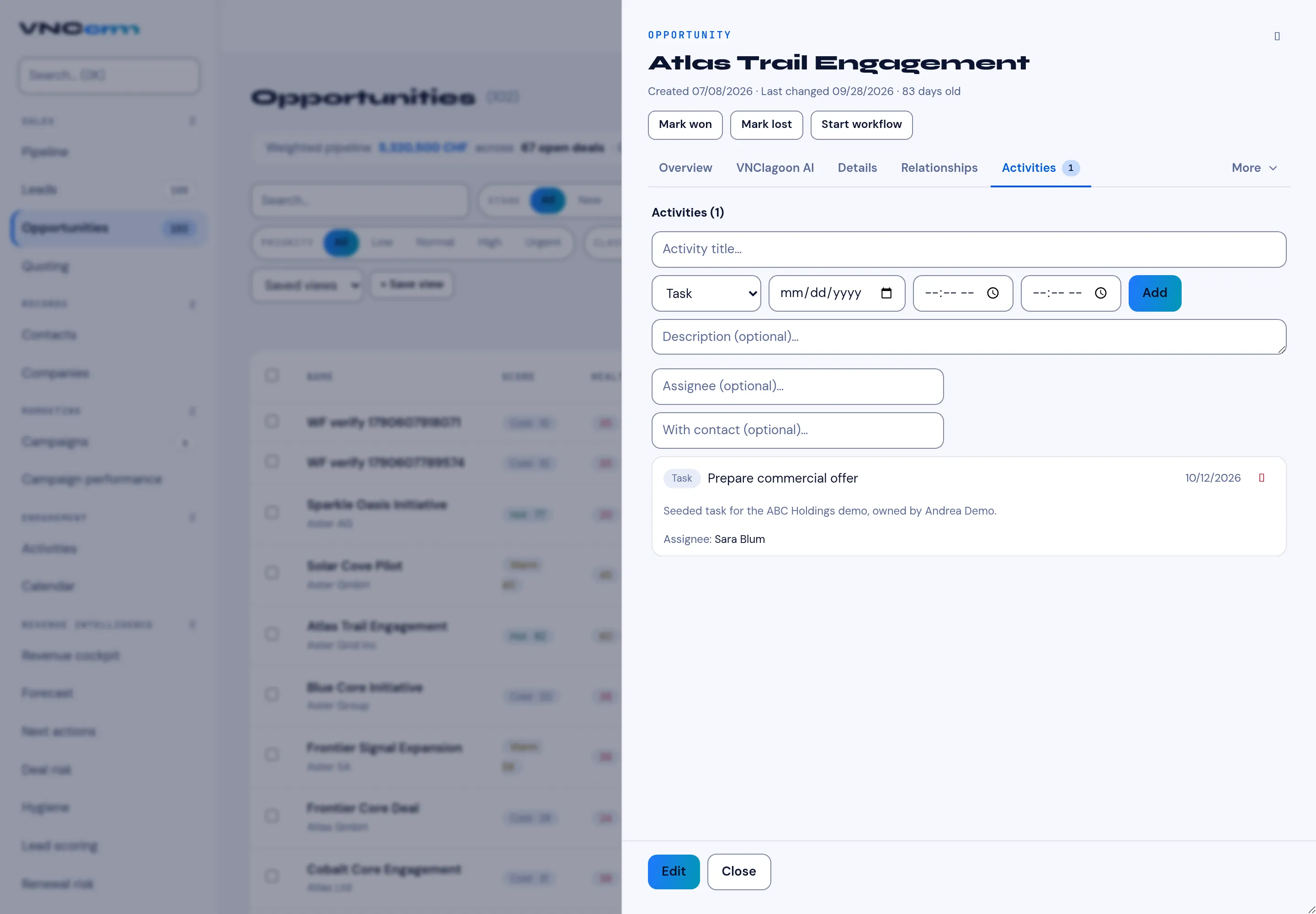
Log an activity on a deal
Activities are the history of a deal — calls, meetings, emails, follow-up tasks and notes. Keeping them on the opportunity means the next person sees what happened.
- Open the opportunity and select the Activities tab.
- Type an Activity title.
- Choose the type — Task, Call, Meeting or Note — and set the date and time.
- Optionally add a Description, an Assignee and a With contact.
- Select Add.
Result
Section titled “Result”The activity appears in the Activities list on the deal, newest first, and in the assignee’s own task list if one was set.