Register a deal
Partners register deals in the Partner Portal so they can be qualified and protected. Registration is a four-step wizard.
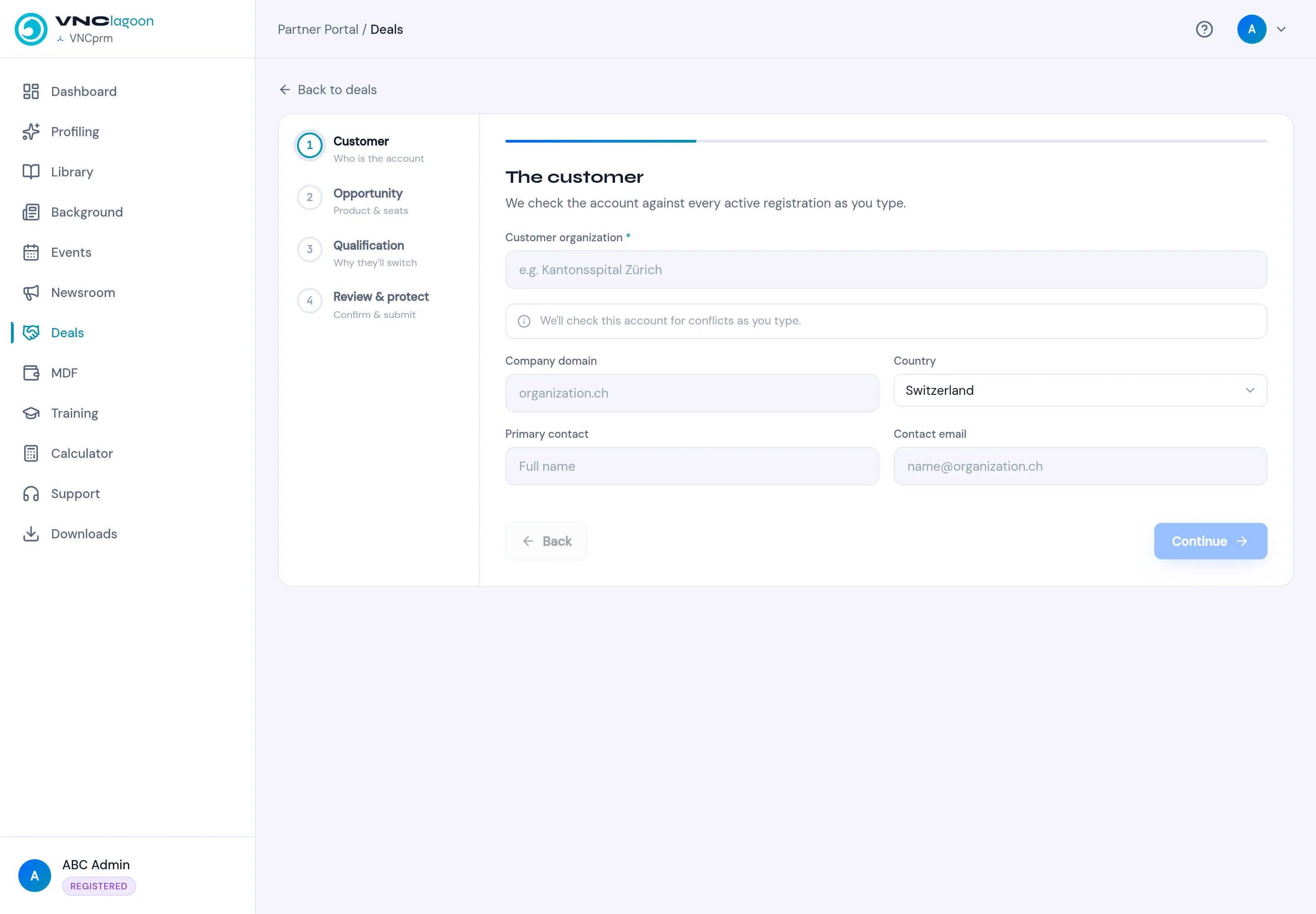
- Open the partner portal and select Register Deal (on the dashboard you can also use the Register Deal button under Your VNClagoon Partner Guide).
- Step 1 — Customer: enter the Customer organization (required). The account is checked against every active registration as you type. Add the Company domain, Country, Primary contact and Contact email, then select Continue.
- Step 2 — Opportunity: the product and number of seats.
- Step 3 — Qualification: why the customer will switch.
- Step 4 — Review & protect: confirm the details and submit.
Result
Section titled “Result”The deal appears under Deals and in the dashboard’s Active Deals and Pipeline Value. Its progress is listed in Recent Activity.