Partner tiers and the library
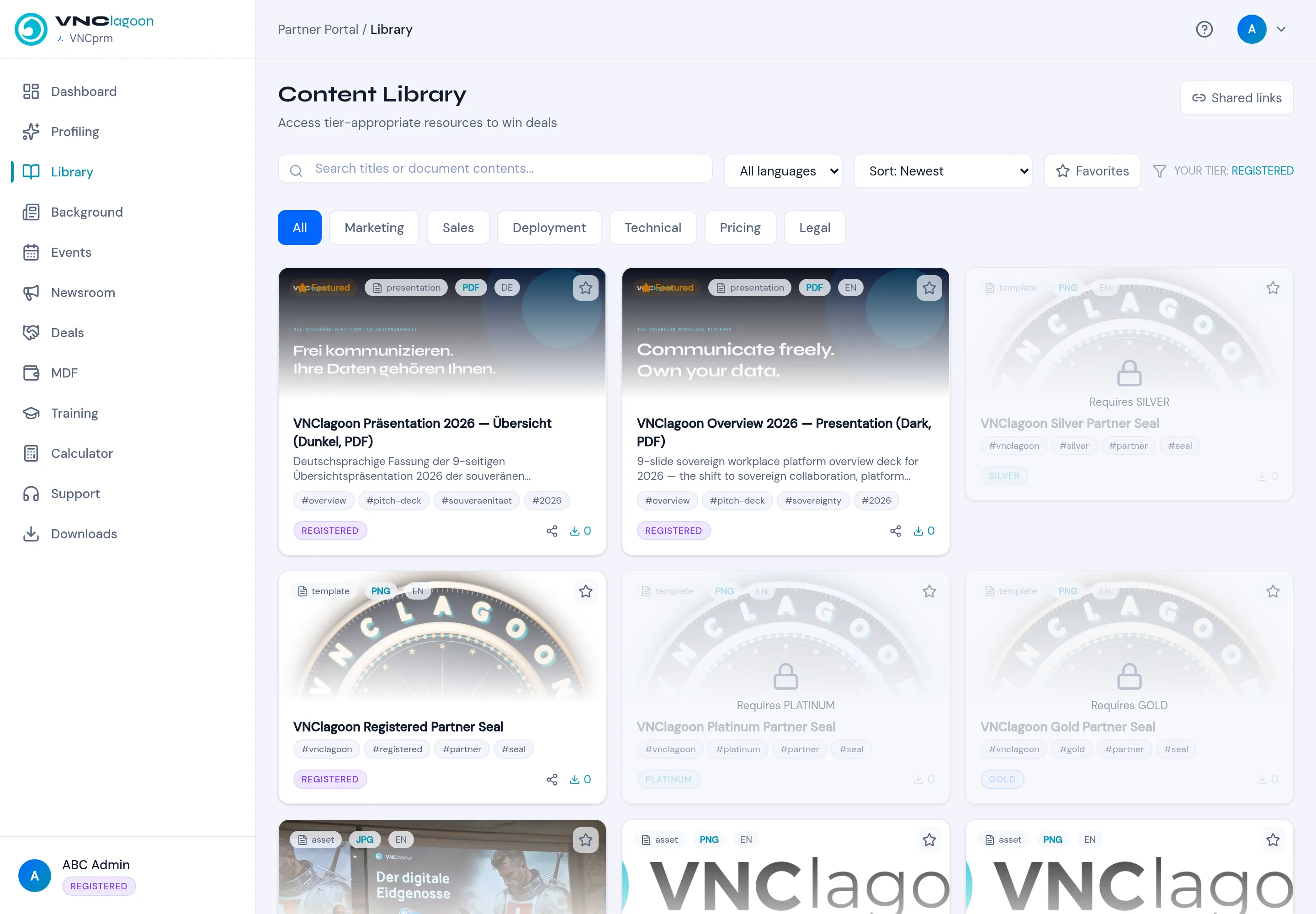
The partner portal is where a partner works with you: registering deals, reading the library, and learning. What they can open depends on their tier.
| Tier | Access |
|---|---|
| REGISTERED | The base tier — register deals, basic content. |
| SILVER | More library content and benefits. |
| PLATINUM | More again. |
| GOLD | The top tier. |
A library item shows the tier it needs (for example Requires SILVER); your own tier is shown on the Library page as YOUR TIER: …, and locked items are greyed out.
What the portal does
Section titled “What the portal does”- Deals — register a deal for protection and track its activity.
- Library — presentations, assets and templates, filterable by category (Marketing, Sales, Deployment, Technical, Pricing, Legal).
- Training & certification — self-paced courses and quizzes.
- MDF, Events, Newsroom, Calculator, Support, Downloads — the remaining sections in the navigation.
Why it is tiered
Section titled “Why it is tiered”Content is tier-appropriate to win deals: a partner sees exactly the material their partnership level entitles them to, and nothing above it. Downloads are counted per asset, so you can see what is being used.