Folders
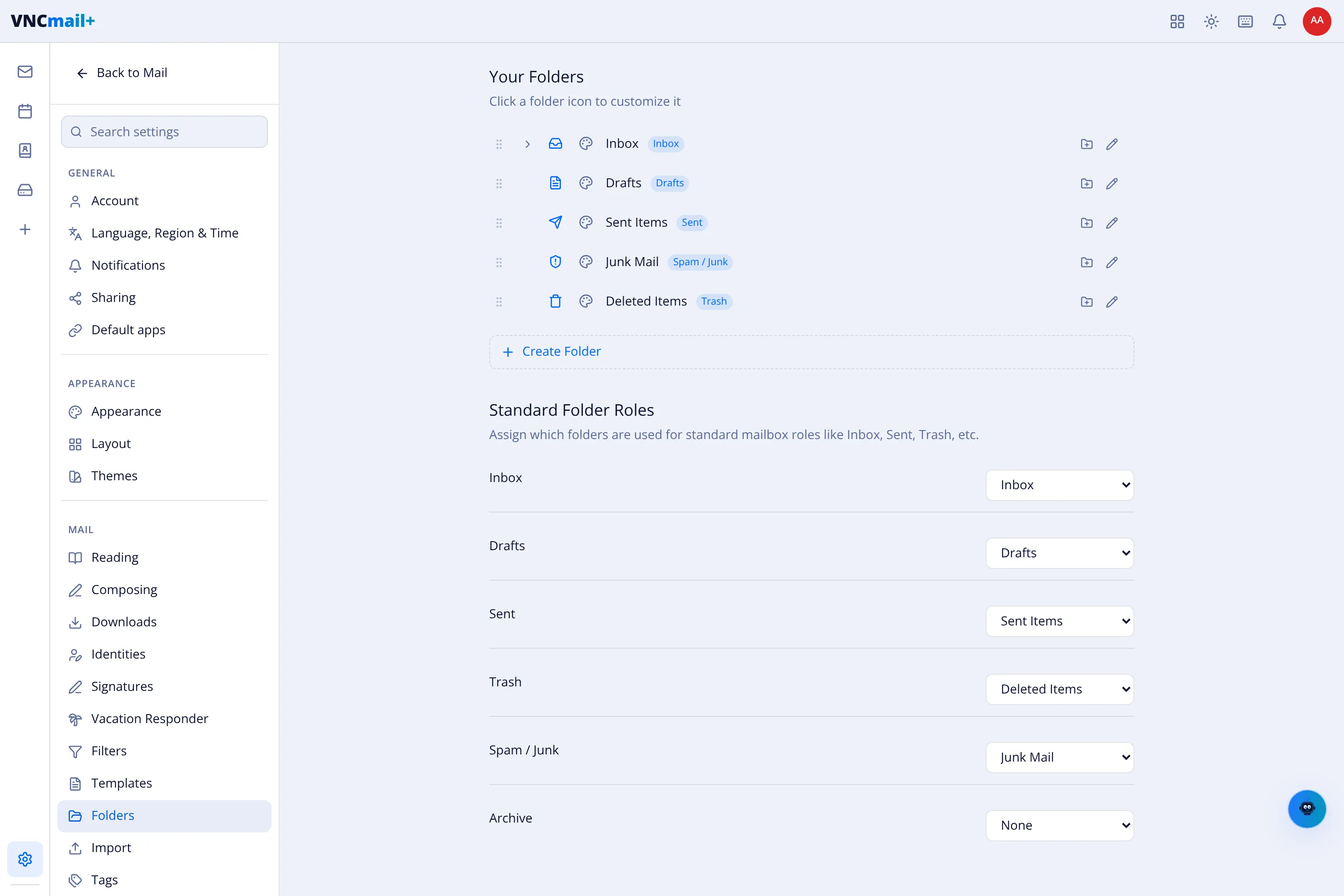
Settings → Folders manages your mailbox folders and which one plays each standard role.
Your folders
Section titled “Your folders”Each folder row shows its icon, name and the run of controls:
- ⋮⋮ — drag to reorder.
- The eye icon — show or hide the folder in the sidebar.
- The pencil — rename, and the tag beside it is the folder’s label.
- + Create Folder — add a new folder (nested folders are allowed).
Inbox, Drafts, Sent Items, Junk Mail and Deleted Items exist by default; unread counts appear next to them.
Standard folder roles
Section titled “Standard folder roles”Assign which folder is used for each standard role: Inbox, Drafts, Sent, Trash, Spam / Junk and Archive. The first five map to the default folders; Archive defaults to None until you choose one, which is what Archive uses when reading mail.