Snooze a message
To keep an email out of your Inbox until you can deal with it, snooze it. The message is hidden from your normal views and comes back at the time you pick.
Snooze a message
Section titled “Snooze a message”-
Right-click the message.
-
Point at Snooze.
-
Choose a time:
Choice Comes back at Later today 18:00 — or three hours from now, if 18:00 has already passed. Tomorrow 08:00 tomorrow. This weekend 08:00 on Saturday. Next week 08:00 on Monday.
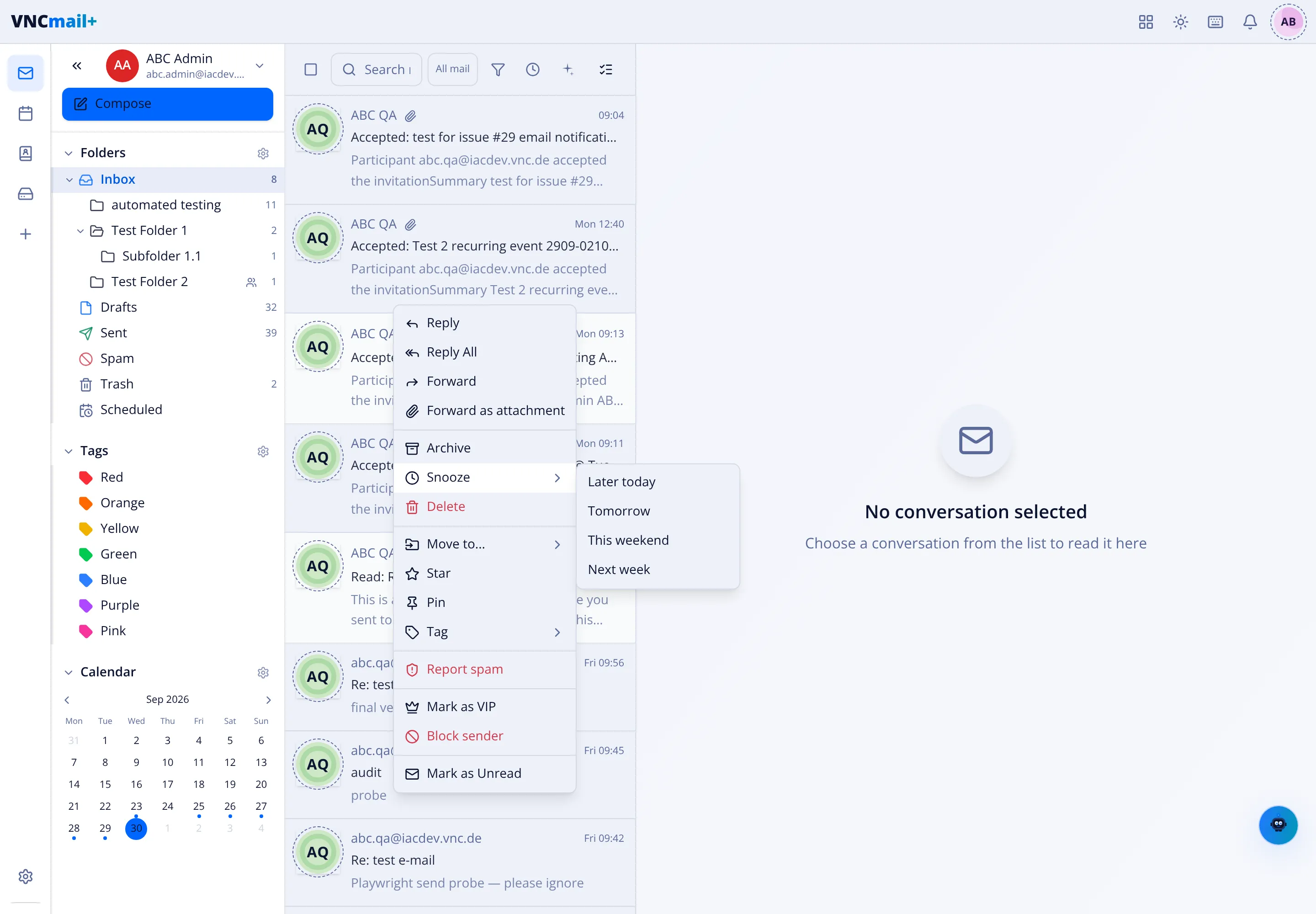
The message leaves your Inbox until the chosen time.
Find what you snoozed
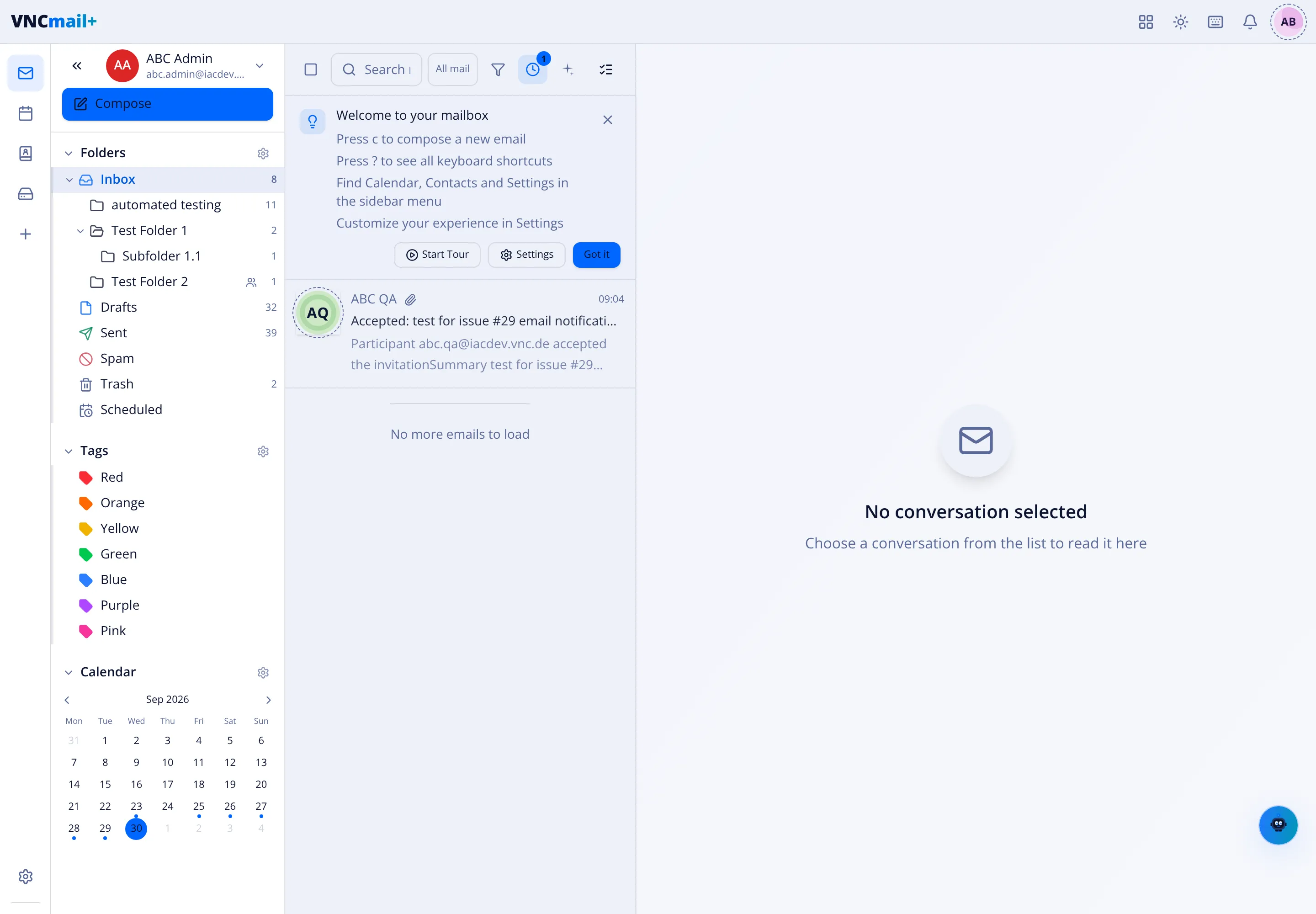
Section titled “Find what you snoozed”Snoozed messages are hidden from your normal views. To see them, select the clock button in the list toolbar — it carries a badge with the number of snoozed messages, and the list then shows only your snoozed mail.
Wake a message early
Section titled “Wake a message early”Right-click a snoozed message and choose Cancel snooze. It returns to your Inbox straight away.
Good to know
Section titled “Good to know”- Snooze is remembered in this browser, not on the server — the message itself is never moved or changed, it is only hidden here.
- If the time passes while you are away, the message is simply back in your Inbox the next time you look.