Create an opportunity
An opportunity is a deal in progress. It moves through the pipeline stages from New to Active to won or lost.
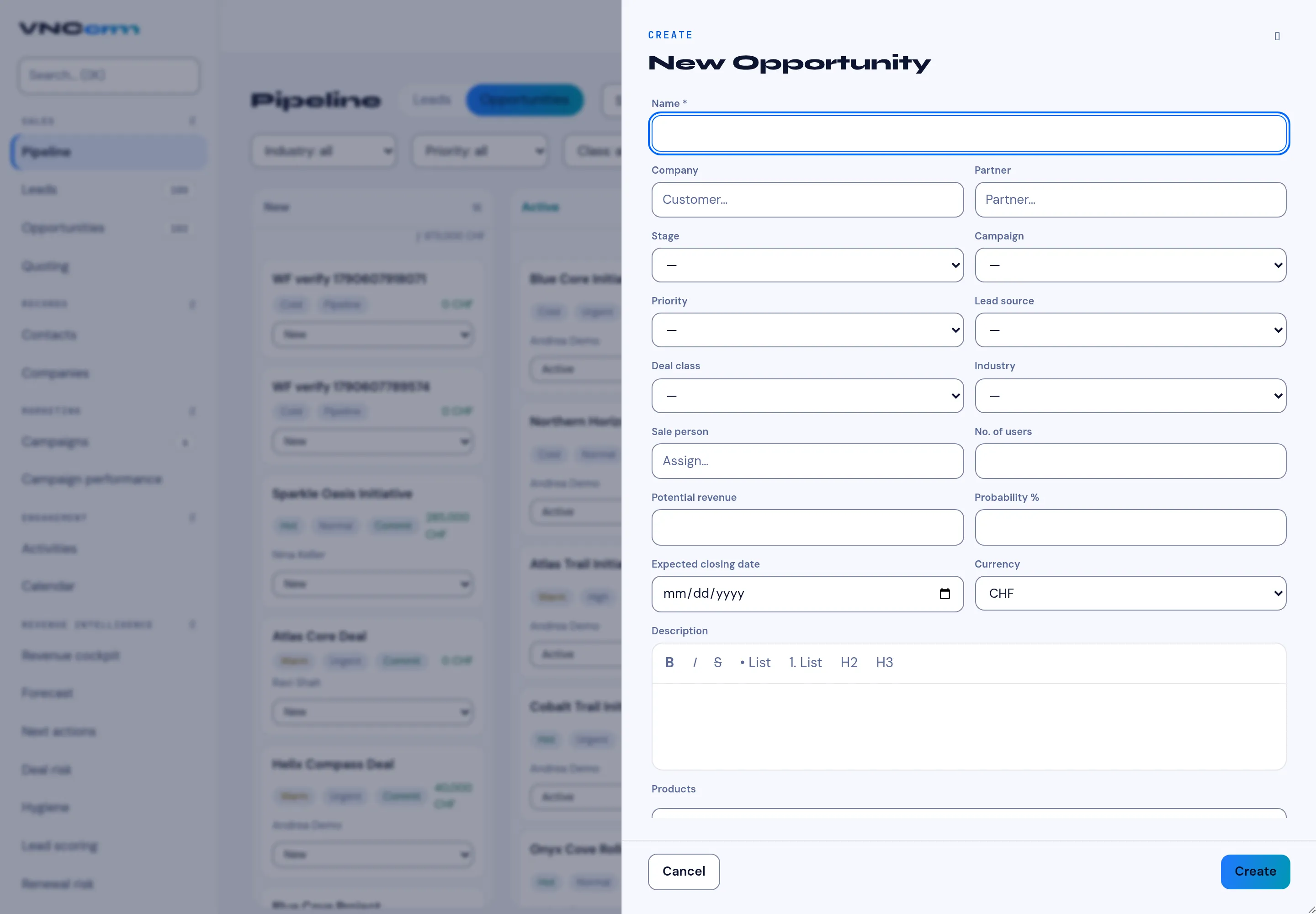
- Open Pipeline and start a new record, then choose Opportunity.
- Enter a Name (required), and pick the Company and, if a partner is involved, the Partner.
- Set Stage, Campaign, Priority, Lead source, Deal class and Industry.
- Assign a Sale person, and fill in No. of users, Potential revenue, Probability %, Expected closing date and Currency.
- Optionally write a Description and add Products.
- Select Create.
Result
Section titled “Result”The opportunity appears on the Pipeline board in its stage. Its value feeds the pipeline totals and the reports.