A person's profile
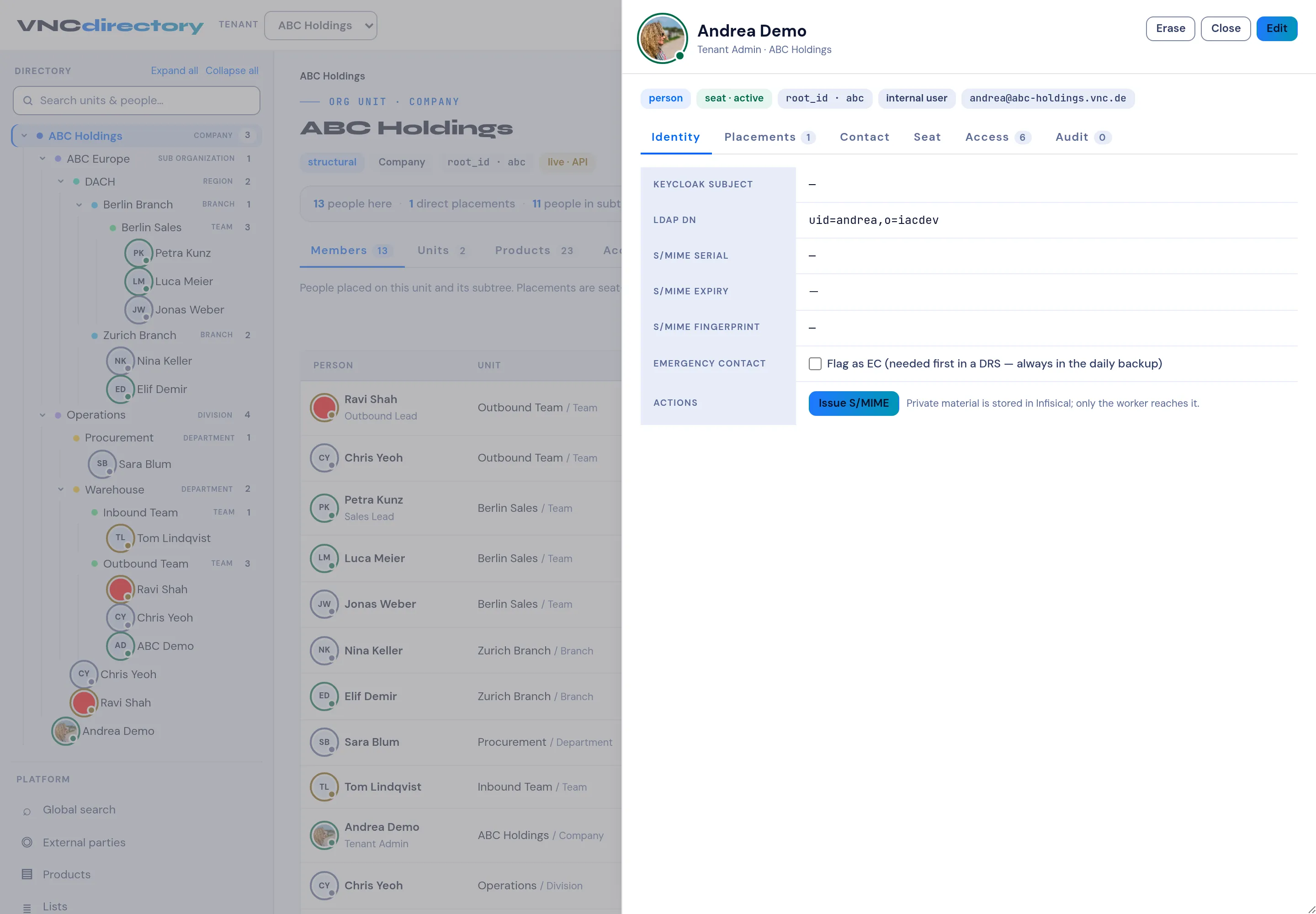
Selecting a person opens their profile in a side panel.
Header
Section titled “Header”The name, job title and unit, the status chips — person, seat · active,
root_id, internal user and the email address — and the Edit, Erase
and Close actions.
| Tab | Shows |
|---|---|
| Identity | The technical identity of the person (below). |
| Placements | The units they are placed on, primary and secondary. |
| Contact | Phone, address and other contact data. |
| Seat | The seat and licence. |
| Access | The grants they hold — see Access grants. |
| Audit | Their change history. |
Identity
Section titled “Identity”| Field | Meaning |
|---|---|
| Keycloak subject | The person’s subject id in Keycloak. |
| LDAP DN | Their distinguished name in the directory. |
| S/MIME serial, S/MIME expiry, S/MIME fingerprint | Their email signing certificate. |
| Emergency contact | Flag as EC — the person to reach first in a disaster recovery situation; emergency contacts are always in the daily backup. |
| Actions | Issue S/MIME — issues the signing certificate. The private material is stored in Infisical; only the worker reaches it. |