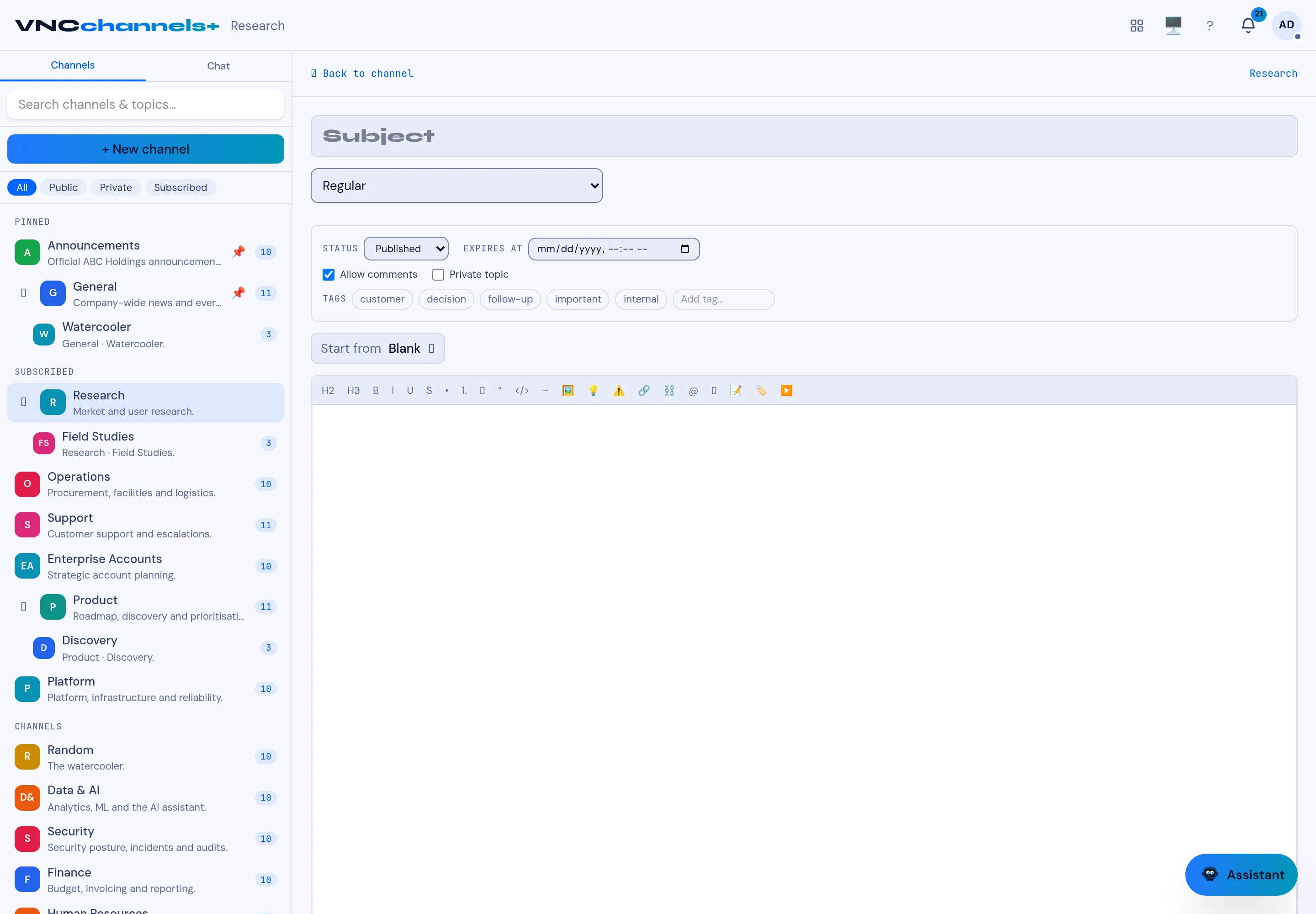
Set a publish status and expiry
A topic does not have to live forever. Set its status and an expiry so a time-bound notice retires itself instead of being tidied up by hand.
- Start a topic with + New topic.
- Set Status to Published (or another state the channel offers).
- Set Expires at to the date after which the topic should stop being shown.
- Finish the topic and select Post.
Result
Section titled “Result”The topic is published now and carries its expiry with it. The channel’s Published / Archived / Trashed tabs let readers narrow to what is live, and the topic moves out on its expiry date.