VNClagoon+ Documentation
VNClagoon+ is one sign-on, one workplace: chat, channels, mail, contacts, CRM, tasks, projects, boards, files, the partner portal, workflow and AI — all behind a single login, inside your own perimeter.
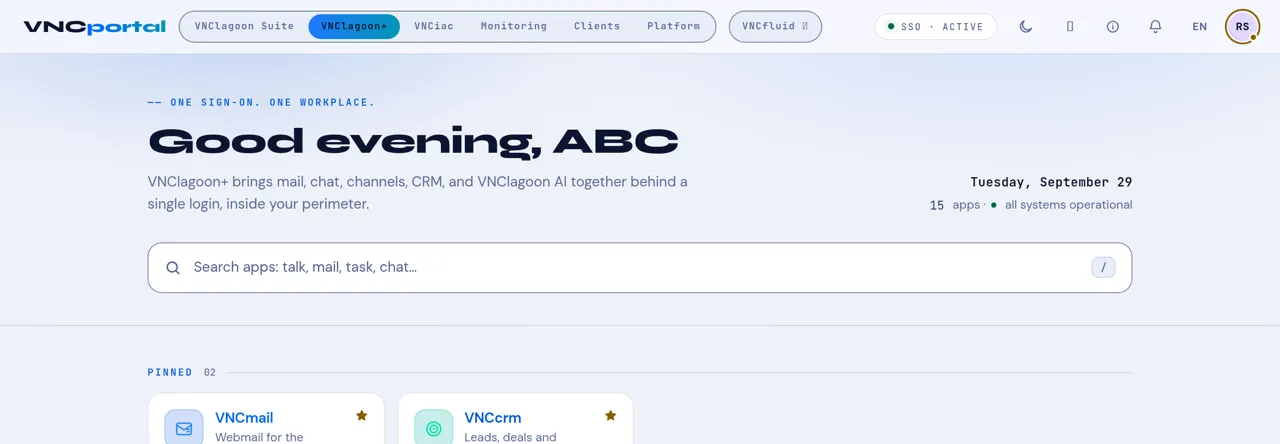
Looking for something? Use the search box at the top of any page — it covers every product and the shared topics.
New here? Start with
Section titled “New here? Start with”- Sign in to VNClagoon+ — how the single sign-on works.
- The portal home page — what every control does.
- Getting around VNClagoon+ — the shared shell and the Action Wheel.
- Use the assistant — ask about the app you are in.
Find your product
Section titled “Find your product”The suite is one workplace, but it helps to know which app to open. Here they are grouped by what you are trying to do.
Communicate
Section titled “Communicate”| Product | What it is |
|---|---|
| VNCchat+ | Chat, group rooms and video meetings. |
| VNCchannels+ | Channels, topics and discussions. |
| VNCmail+ | Mail with calendar and contacts built in. |
Plan and track
Section titled “Plan and track”| Product | What it is |
|---|---|
| VNCtask+ | Capture, plan and track work. |
| VNCproject+ | Project management with EVM and capacity. |
| VNCboard+ | Whiteboards, diagrams and canvases. |
| VNCworkflow | Approval routes and requests. |
Customers and partners
Section titled “Customers and partners”| Product | What it is |
|---|---|
| VNCcrm | Leads, deals and pipeline. |
| VNCprm | The partner portal — deals, library and training. |
| VNCcontacts+ | Contacts and address books, synced with VNCdirectory+. |
Files and workspace
Section titled “Files and workspace”| Product | What it is |
|---|---|
| VNCfiles | Files, folders, sync spaces and sharing. |
| VNCfluid | Your 360° dashboard over the other products. |
Platform
Section titled “Platform”| Product | What it is |
|---|---|
| VNCdirectory+ | People, units, products and entitlement. |
| VNCai | The sovereign AI platform. |
Not sure of a word? See the Glossary.
How these docs are organised
Section titled “How these docs are organised”Every product follows the same shape, so you always know where to look:
- First steps — a five-minute tour (tutorials).
- How-to guides — the task you are trying to do.
- Reference — fields, statuses, states and shortcuts.
- Concepts — why it works the way it does.
How these docs are written explains the structure, voice and design the whole guide follows. New to the suite? See What’s new; if something isn’t working, see Troubleshooting.