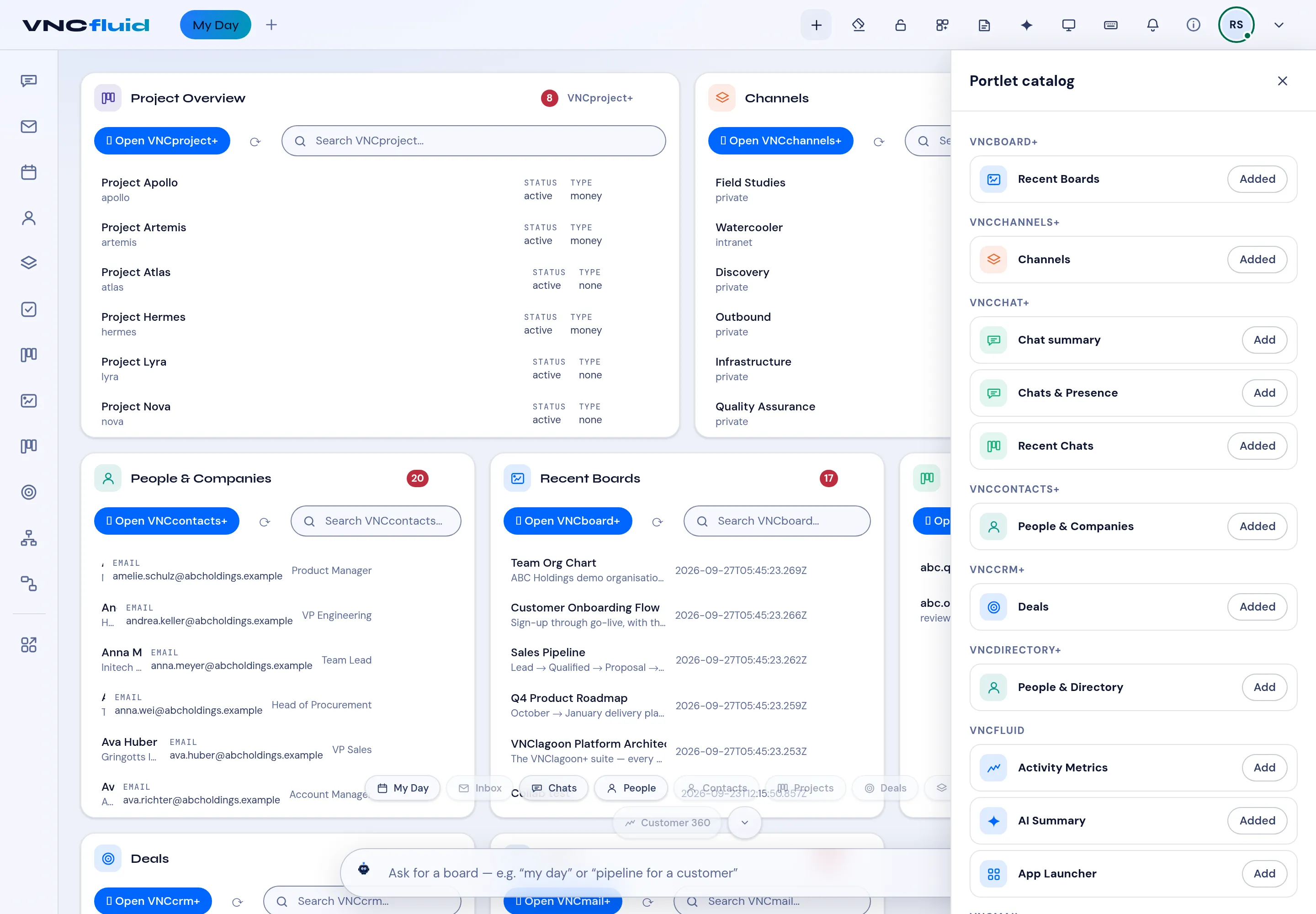
The portlet catalog
The portlet catalog lists every card you can place on My Day. Each card is a slice of one VNClagoon+ product, and the catalog groups them by product.
Open the catalog
Section titled “Open the catalog”Select the portlet catalog (the grid icon in the top bar, labelled Portlet catalog). The panel opens on the right.
Add a card
Section titled “Add a card”- Find the product group, then select Add next to the card you want.
- The card is placed on your board right away; Added marks the ones already on it.
- Drag the card to arrange it. Your layout is saved for you.
Remove a card
Section titled “Remove a card”Hover a card on the board and choose Remove portlet.
What you can add
Section titled “What you can add”| Product | Cards |
|---|---|
| VNCproject+ | Project Overview |
| VNCchannels+ | Channels |
| VNCcontacts+ | People & Companies |
| VNCboard+ | Recent Boards |
| VNCchat+ | Recent Chats |
| VNCcrm | Deals |
| VNCmail+ | Calendar Agenda, Inbox |
| VNCtask+ | Task List |
| VNCworkflow | Workflows |
| VNCfluid | AI Summary, Activity Metrics, App Launcher, My Team |
| VNCfluid | Knowledge Graph explorer |
| VNCfluid | Cluster health (Kubernaut) — admins only |