Recurring events
The event form’s Recurrence field turns a single event into a repeating one. Every occurrence carries the same title, participants and reminders.
Set a repeat
Section titled “Set a repeat”-
Open the Calendar and select + Create event.
-
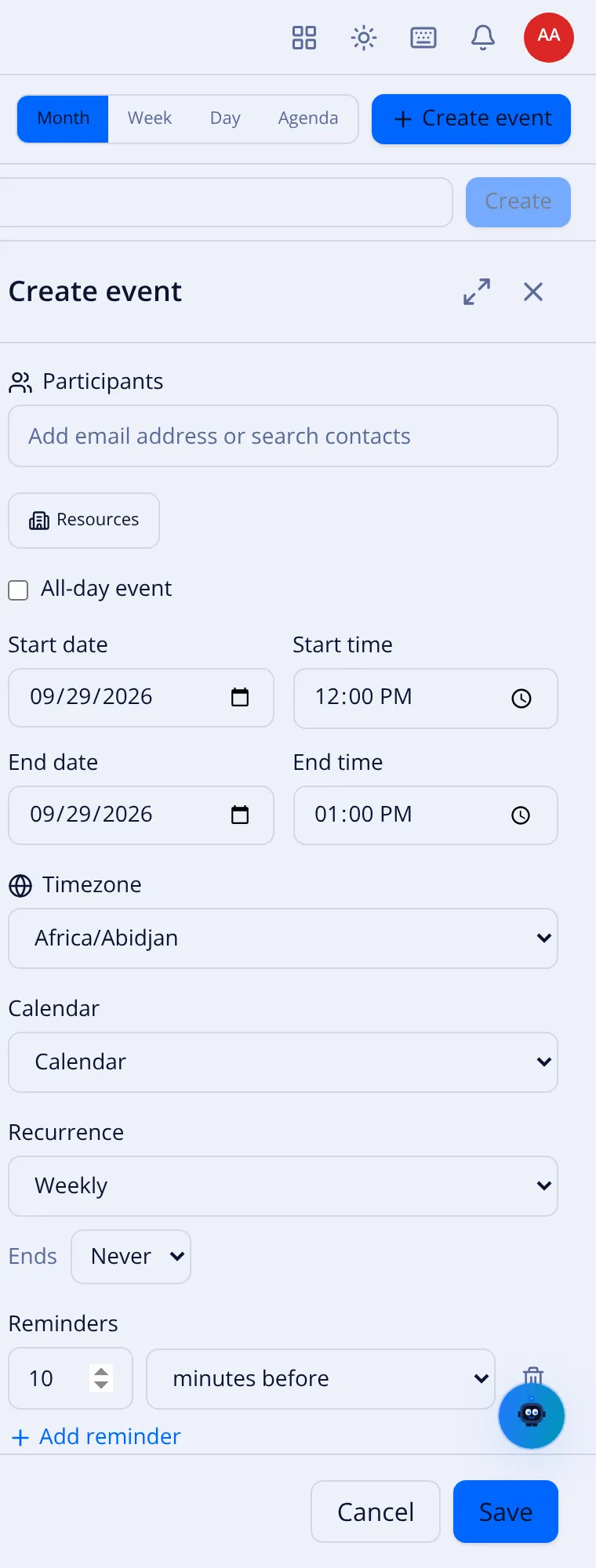
Fill in the event, then open the Recurrence dropdown (it reads Does not repeat).
-
Pick a rule:
Option Repeats Does not repeat A single event (the default). Daily Every day. Weekly Every week, on the chosen weekdays. Monthly Every month, on the same day. Yearly Every year. Custom… Your own rule (below). -
Fill in the rest and select Save.
Custom rules
Section titled “Custom rules”Custom… opens the recurrence editor:
- Frequency — Daily, Weekly, Monthly or Yearly.
- Interval — every N days / weeks / months / years.
- On weekdays (weekly) — tick the days (Mo, Tu, We, Th, Fr, Sa, Su).
- Monthly — repeat on the nth weekday, or the last one (for example last Friday).
- Ends — Never, On a date, or After a number of occurrences.
Edit or delete one occurrence
Section titled “Edit or delete one occurrence”Because a recurring event has many occurrences, VNCmail+ asks for the scope when you change or delete it:
- This occurrence — only the one you opened.
- This and following — this one and all later ones.
- All — the whole series.
Pick the scope in the dialog, then confirm. Changes to participants send updated iMIP invitations for the affected occurrences.