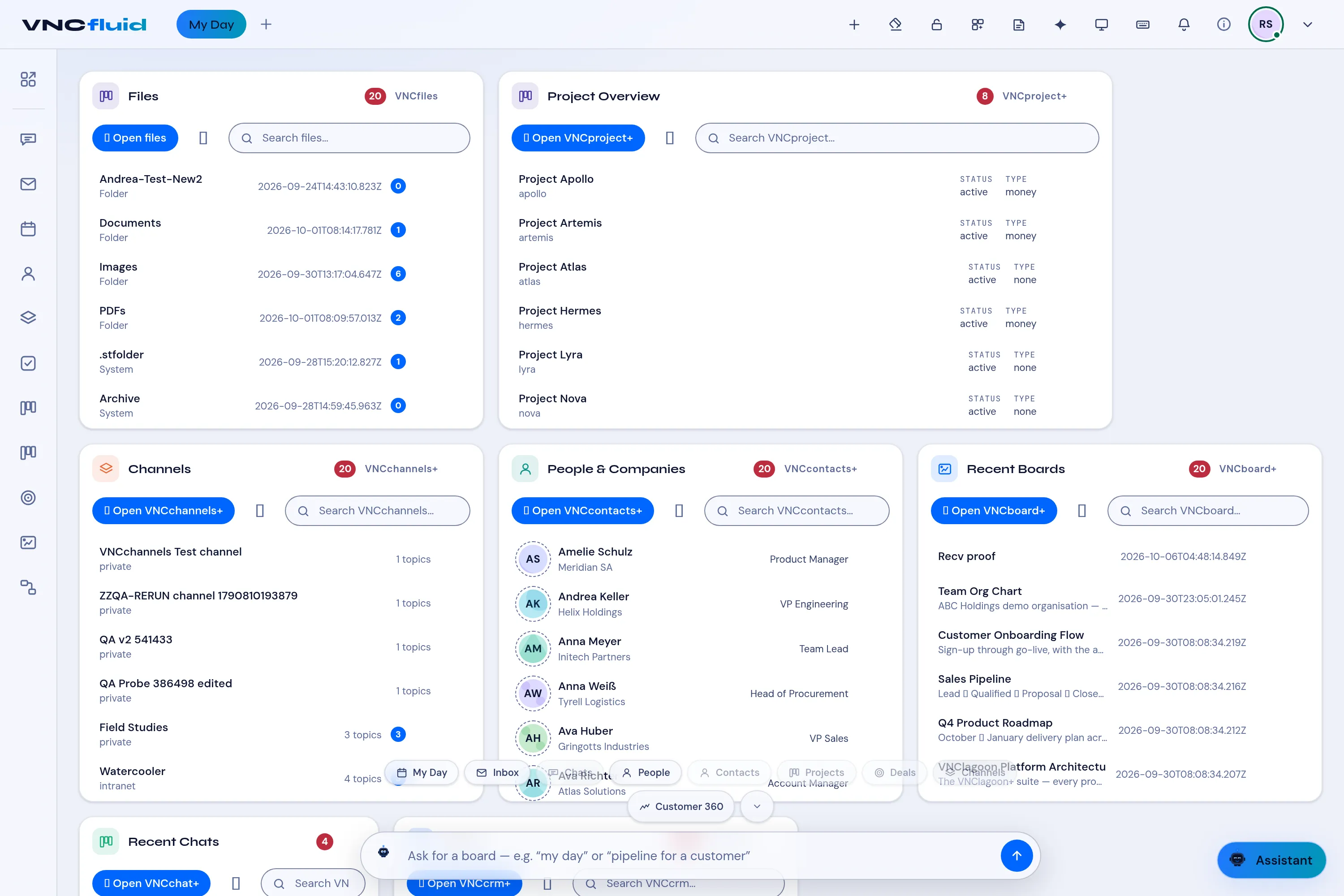
Cards and quick chips
| Card | Reads from | Search placeholder |
|---|---|---|
| Project Overview | VNCproject+ | Search VNCproject… |
| Channels | VNCchannels+ | Search VNCchannels… |
| People & Companies | VNCcontacts+ | Search VNCcontacts… |
| Recent Boards | VNCboard+ | Search VNCboard… |
| Recent Chats | VNCchat+ | Search… |
| Deals | VNCcrm | Search VNCcrm… |
| Calendar Agenda | VNCmail+ — upcoming events, grouped by day | Search |
Each card has Open … to jump to the product. The Portlet catalog (the grid icon in the top bar) adds more cards — for example Inbox, Task List, Workflows, My Team or App Launcher. See The Calendar Agenda card for one example.
Peek, without leaving
Section titled “Peek, without leaving”Select a row to open a peek — a compact preview inside the card, so you can read and act without leaving VNCfluid. On the Channels card the peek shows the channel’s overview (description, type, visibility, status), how many topics it has, and its latest activity.
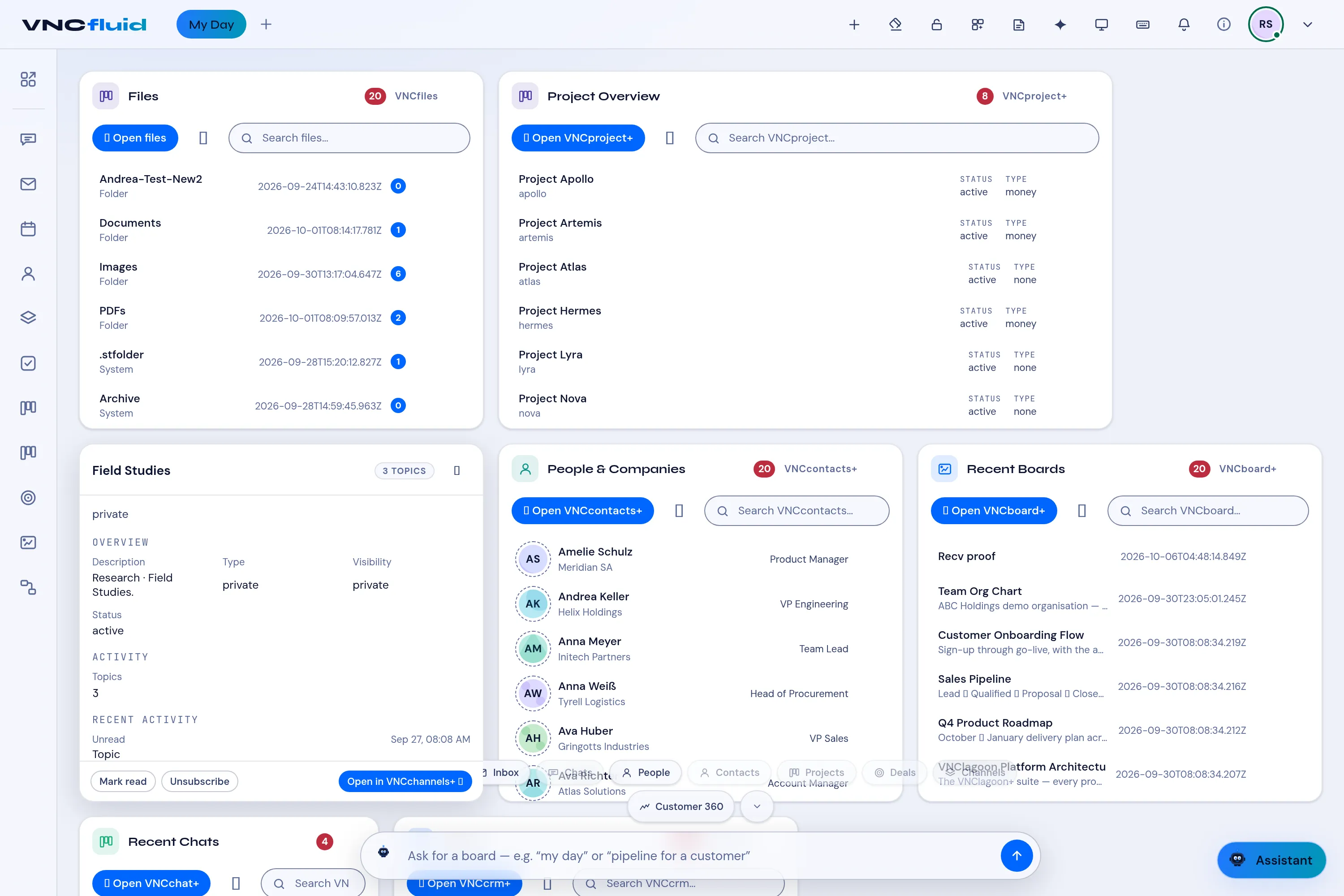
Each peek ends with quick actions for the item:
- On a channel — Mark read, Unsubscribe (or Subscribe), and Open in VNCchannels+.
- On other cards — for example Reply and Call on a chat, Mark read on a mail row, and Preview details / Open in … to open the item in its product.
Actions run through to the product and the card refreshes in place.
Quick chips
Section titled “Quick chips”My Day, Inbox, Chats, People, Contacts, Deals, Channels, Customer 360 — and the prompt bar (ask for a board — e.g. “my day” …).
The AI bar
Section titled “The AI bar”Type a request in the bottom bar to reshape the dashboard — it reads the same products listed above.